

A beginner’s guide to using MailerLite for mail campaigns
I have to say that email marketing sounds a lot more complicated than it actually needs to be. If you’re a small business owner or freelancer who keeps hearing “you should really start a newsletter” and quietly panics, you’re reading the right blog.
MailerLite is one of the few email marketing tools that doesn’t make you feel like you need a marketing degree, three tutorials, and a lie-down just to send an email.
In my job as a virtual assistant, I need to understand how different email marketing software platforms work, and I use a few for various clients. Still, for my own newsletter (which you can sign up for here) I use mailerlite so this guide walks you through the basics of using MailerLite for email campaigns—in plain English, with no techy waffle.
So why Mailerlite?
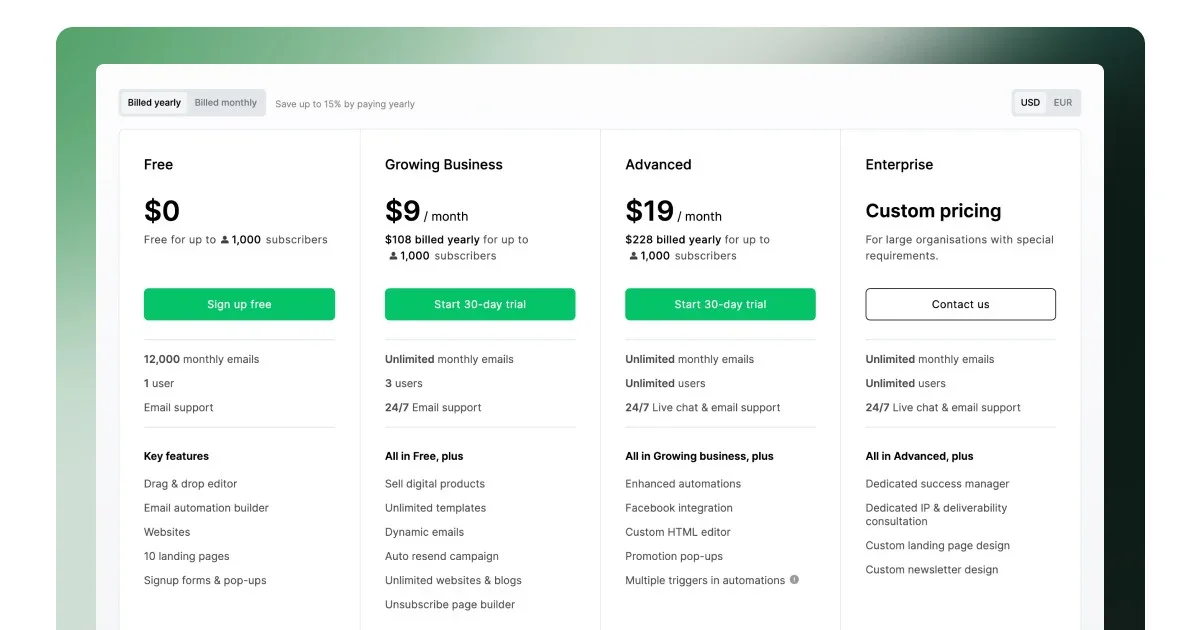
There are a lot of email marketing platforms out there, but MailerLite is particularly popular with freelancers, creatives, and small business owners—and for good reason.
It’s clean, simple to use, and doesn’t overwhelm you with features you’ll never touch.
The free plan is generous enough to get you properly started, and the tools grow with you as your list grows.
Step 1: Setting up your MailerLite account
Getting started is straightforward.
Head over to Mailerlite, where you’ll sign up, add your business details, and submit your website or landing page for approval. This is MailerLite checking you’re a real human running a real business—not a spammer.
Approval usually takes less than a day. If it feels like nothing is happening, don’t worry. This pause is normal and actually helps protect your email deliverability later.
SEO note: This approval step is one of the reasons MailerLite is a solid choice for compliant email marketing in the UK.
Step 2: Building your subscriber list (the non-slimy way)
Your email list should be made up of people who want to hear from you. Bought lists and random imports are a fast track to terrible open rates and some annoyed people, which means you don’t get a good reputation.
With MailerLite, you can:
Import existing subscribers (as long as they’ve opted in)
Create signup forms using the drag-and-drop editor
Embed forms on your website or landing pages
Forms are where your list really starts to grow. Keep them simple, be clear about what people are signing up for, and don’t promise weekly emails if you know full well it’ll be monthly at best. Or silence for 12 months ( like me 🫣
Step 3: Creating your first email campaign
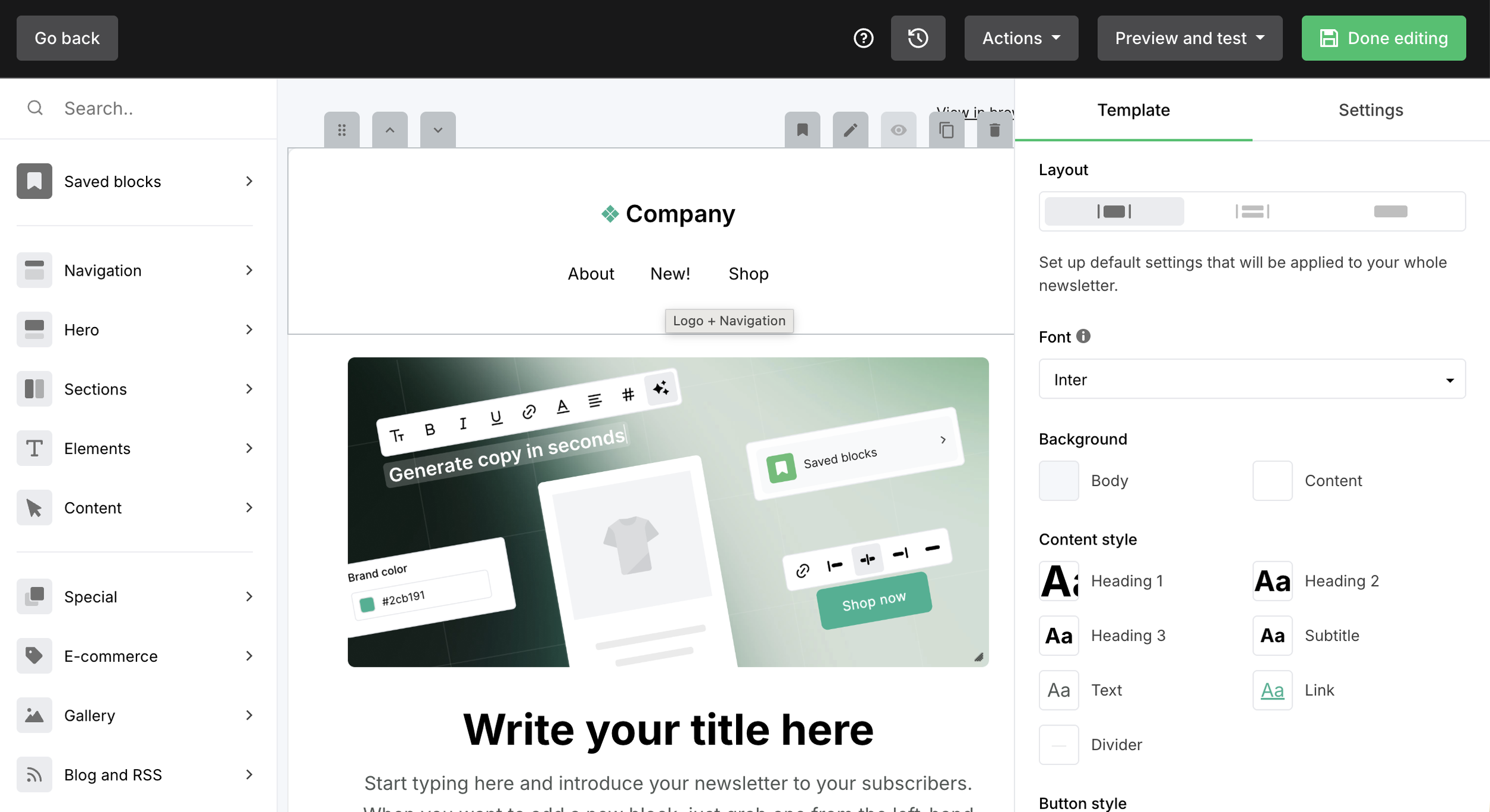
This is usually the bit people overthink.
MailerLite gives you a visual editor where you can:
Choose a campaign type (regular emails are perfect to start)
Add text, images, and buttons without touching code
Personalise emails using names or segments
You don’t need a beautifully designed masterpiece. A clear subject line, friendly copy, and one main call to action will do for now.
Before sending, always preview and send a test email to yourself. This saves you from broken links and missing text or spelling mistakes.
Step 4: Sending and reviewing your results
Once your campaign is sent (or scheduled), MailerLite handles the rest.
Afterwards, you can look at your analytics, such as:
Open rates
Click-through rates
Unsubscribes
These numbers aren’t there to make you feel bad. They’re there to help you spot what’s working. Over time, you should notice patterns, like what subject lines get opened, which links get clicked, and what your audience actually cares about.
Some MailerLite tips for beginners
If you are a complete beginner, try to…
Keep emails focused: One message, one main action
Stay compliant: Always include an unsubscribe link
Segment when you can: Even basic segmentation improves engagement
Consistency beats perfection: Showing up matters more than fancy design
What about those other email marketing platforms?
As I mentioned in the first paragraph, MailerLite isn’t the only email marketing platform available, and that’s a good thing. Different tools suit different businesses, budgets, and levels of tech confidence.
MailerLite is often chosen by freelancers and small businesses because it’s simple to use, reasonably priced, and covers the essentials without feeling overwhelming. The trade-off is that if you want very advanced automations or complex sales funnels, you may eventually outgrow it.
Mailchimp is widely recognised and has a large ecosystem of integrations and templates. However, costs can increase quickly as your list grows, and some features that used to be available on free plans are now restricted to higher-priced tiers.
Brevo (formerly Sendinblue) offers strong automation features and the option to include SMS marketing, which can be helpful. On the downside, it can take a bit of poking around before things start to make sense, especially if you’re new to email marketing.
Moosend is known for offering solid automation tools at a lower price. That said, it has fewer integrations and a smaller support and education ecosystem than some of the larger platforms.
Constant Contact is well regarded for customer support and event-based email tools, making it a good option for organisations running classes or events. It tends to be more expensive than other platforms and offers less design and automation flexibility.
| Platform | Pros | Cons | Best for |
|---|---|---|---|
| MailerLite | Easy to use, generous free plan, clean interface, good deliverability | Limited advanced automation, fewer integrations | Freelancers and small businesses wanting simplicity |
| Mailchimp | Well known, lots of templates, wide range of integrations | Costs rise quickly, free plan is now limited, can feel bloated | Businesses already embedded in the Mailchimp ecosystem |
| Brevo (formerly Sendinblue) | Strong automation, SMS marketing included | Interface can feel clunky, steeper learning curve | Businesses needing email plus SMS marketing |
| Moosend | Good value for money, solid automation tools | Smaller ecosystem, fewer integrations | Budget-conscious small businesses |
| Constant Contact | Excellent customer support, strong event tools | More expensive, less flexible design and automation | Event-led businesses and organisations |
Ultimately, the right email marketing platform depends on what you need right now, how confident you feel using digital tools, and how your business is likely to grow. Most platforms allow you to start small and switch later if your needs change.
What I’d focus on if I were you
Marketing your business doesn’t have to be complicated, expensive, or overwhelming to be effective. The most important thing is choosing a platform that fits how you work now, not the business you think you’re supposed to have in five years.
Whether you start with MailerLite or one of the other platforms mentioned, the real win comes from showing up consistently, sending emails people actually want to read, and upskilling as you go. Tools can always be changed; confidence comes from practice.
If email marketing has been sitting on your “I’ll sort that later” list, consider this your Bizzybee nudge to go and pick a platform, send the first email, and try to stop overthinking it.
And if you’d rather have some support setting things up correctly, from forms and campaigns to automations and best practices — that’s precisely the sort of thing I help with.
No jargon, no judgement, and no pretending it’s easy when it isn’t.

If you’d like to explore how I can help, you’ll find more details on my service pages.
And if, after a look, it feels like we might be a good fit, you’re very welcome to get in touch via my website or on LinkedIn. No pressure — just a conversation to see if it makes sense
