


A sticky note, back of an envelope, or maybe you prefer perfumed paper? It genuinely doesn't matter.
WHERE you write that to do list it is the least important part.
What matters more is what goes on it, where you keep it, and what you do when it's grown to four pages and you've started avoiding it. That's really what learning to use a to-do list effectively comes down to, and to be fair no-one ever teaches you to do it.
The short version: keep it short, keep it in one place, write the next thing you'd actually do rather than the whole job, and get everything else out of your head and onto a separate list where it can wait its turn!
In my previous life I had a job in education, and my head would be full to the top before I'd even got to the classroom. So lists became my friends and I've been known to write a list for my lists!
What does writing a to-do list actually do for you?
Firstly, it gets the job out of your head, which is the bit that's wearing you out. Your brain keeps unfinished tasks active in the background so you don't forget them, and that constant nagging is what makes you feel scattered and chaotic, even when you're not doing anything even trying to sleep maybe. So writing a task down with a plan attached can release it.
You don't have to finish the job to stop carrying it around, you just have to record it properly so you are able to come back to it.
And I am not making that up, there's research behind that. Psychologists Masicampo and Baumeister found that making a specific plan for an unfinished task reduced the intrusive thoughts that could appear just as effectively as actually completing it.
And the sleep one is my favourite. Researchers at Baylor University put people in a sleep lab and gave them five minutes of writing before bed. The group who wrote a to-do list for the next few days fell asleep in about 16 minutes.
The group who wrote about what they'd already done took about 25. The more specific the list, the faster they dropped off. So the thing you're doing at eleven at night, lying there running through tomorrow, has an actual fix and it takes five minutes.
Beyond that, a list can do three other jobs:
It shows you what's actually important.
Half the things rattling round your head turn out to be smaller than they felt, and one or two turn out to be urgent.It hands you back some control.
You're deciding what gets done and when, rather than reacting to whatever shouts loudest.It makes avoidance harder.
A vague sense of "I should sort the invoices" is easy to ignore. "Send invoice to [client], 10 minutes" is harder to pretend you haven't seen.
What is the most effective to-do list?
Simply it’s a short one. Three to five things for today, written as actions rather than topics, with everything else parked somewhere separate.
The reason most lists fail isn't laziness, it's that they're a dumping ground and a daily plan at the same time. Those are two different documents. It’s a mish mash what you need is to have those lists BUT NOT in the same place.
What tends to work:
One list for today, one list for everything else.
Today's list is a promise. The other one is a holding pen.Write the next physical action, not the job.
"Website" is not a task. "Write the copy for the about page" is a task.Put a rough time next to each one.
Then add half again, because everyone underestimates.Three to five items, not fifteen.
If everything's a priority, nothing is.Be specific enough that you could hand it to somebody else.
This is a useful test even if you never do.
So an example of this is:
Where is the best place to keep a to-do list?
Wherever you'll actually look at it, and only in that one place. Three half-lists across a notebook, your phone and a sticky note on the laptop is the same as having no list, because you'll never be consistent with them. You may remember to cross off that job on the phone list and still have jobs from 2014 in the notebook.
I'm not going to tell you which one to use, because that is up to you and how your beautiful brain works.
I have clients who run everything beautifully from a single paper notebook, and clients who'd lose it by Wednesday so use a phone. The only wrong thing to do is have those lists in five places at once.
What to do when the list has got away from you
Everyone's list gets away from them. Mine included but it eventually becomes overwhelming.
So here's a little rescue:
Empty your head onto one page.
Everything, work and life, no order, no judgement. It'll look horrific and very chaotic no doubt but that's fine, it was all in there anyway.Cross off anything that's quietly died.
Things you've decided not to do, things somebody else has sorted, things that stopped mattering in April 2014.Split what's left into three piles:
today, this week, and not now. "Not now" is a legitimate answer and it isn't failure.Rewrite today's three to five.
Only those! The rest stay on the big list where you can't see them hourly.Do the oldest one first if you can.
The job that's been carried longest is usually costing you more in dread than it will in time.
What if your brain doesn't work in lists?
Standard list advice is written for people who find lists easy, which is a bit like a swimming lesson delivered from the side of the pool.
If you're ADHD, autistic, dyslexic, or just wired in a way that organised lists don't work for you, a few things tend to help more than the usual tips:
Make it visible without you choosing to look.
A whiteboard by the desk or a note on the monitor beats an app you have to remember to open.Write the first physical movement, not the task.
"Open the spreadsheet" gets you started. "Do the accounts" gets you procrastinating and making a cup of tea instead.Double every time estimate.
Time blindness is a real thing, and a list full of underestimates turns into a list full of failures by four o'clock and that will just leave you feeling unproductive and sad.Keep a done list as well.
On days when nothing feels finished, the done list (or as I like to call it , a TA-DA list) is evidence that YOU HAVE achieved something. It's a genuine mood fixer.Try working alongside somebody.
Body doubling, where you're on a call with someone else quietly working, gets a surprising amount of stuck admin unstuck. I regularly attend them with Being freelance, Freelancer magazine club and the Co-work Crew.Let the format change when it stops working.
Switching from an app to paper isn't failing at using the app. If something's stopped working, mix it up. You might find you can come back to that strategy another time.
What a to-do list can't do
It can't make more hours magically appear, no matter how hard you try.
If your list is long because you genuinely have too much on, writing it more neatly won't help.
A four-page list is a capacity problem and at this point the useful question isn't how to organise it, it's which of these things shouldn't be yours at all and you should be delegating.If something has shuffled from Monday to Monday for six weeks, it’s stopped being a task. It’s either a decision you haven’t made yet, or a job that belongs to somebody else.
So start small
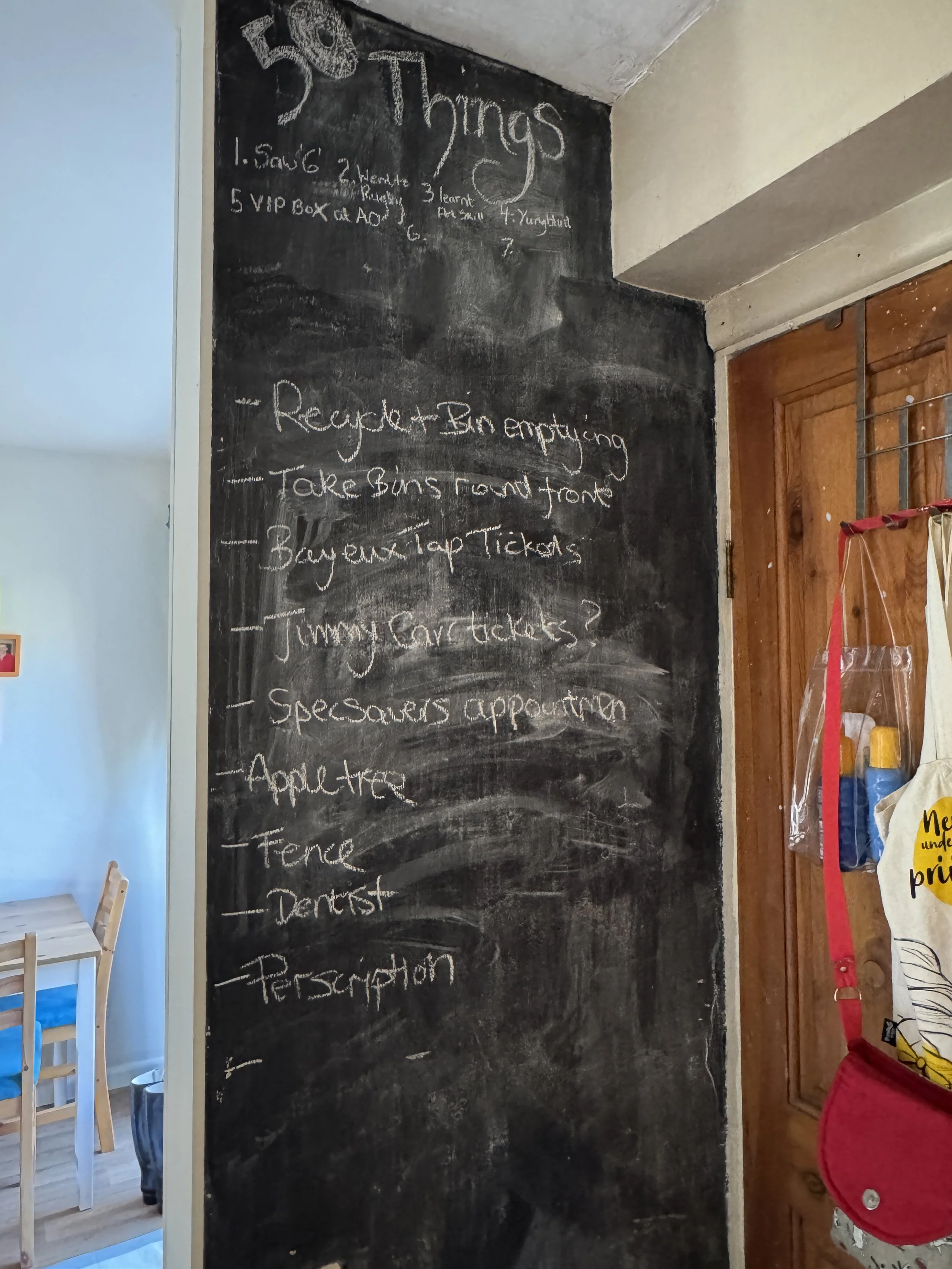
If you're not in the right frame of mind to sit down and write that long list, then don't. Making the list into another intimidating job defeats the point of doing it in the first place.
You could pin a piece of paper to somewhere you look often or a chalkboard somewhere and then add one thing to it when it pops into your head.
Side note: I painted a wall in my kitchen with chalkboard paint just so I could add those kind of items, and it seems so the kids could also draw rude pictures.
but where and however you do it, whatever you do it’s a start, and a start is better than doing nothing at all, I say.
And if that list is too long because there's more work than there are hours, that's exactly the sort of thing I help with.
You can send me the voice note or the messy brain dump and I’ll turn it into a proper list of actions, or hand over the jobs clogging it up and I’ll get on with them behind the scenes.
Have a look at my accountability support, or get in touch and tell me what’s been on your list longest.
